
The Broadcaster app is now available in the Apple app store. You can easily stream your season duals from an iPhone or iPad.
To use the new Broadcaster app, you will need a code from your Trackwrestling season team's schedule page. After following the steps in the Set Up the Broadcaster App in Your Season/OPC Account help article, click the QR code for the event you want to stream.
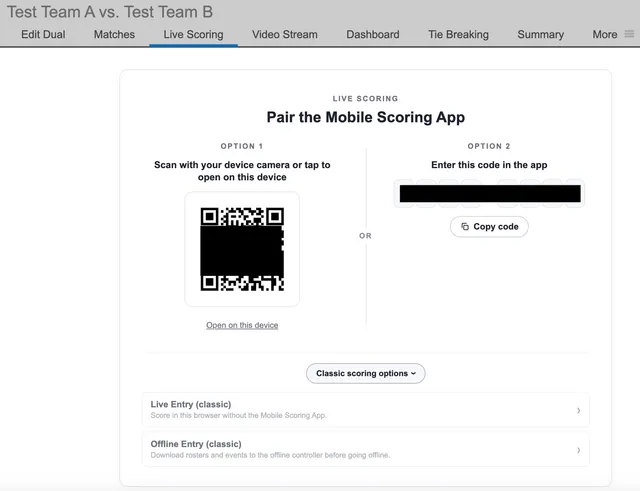
Open the app on your device and connect to your event via one of the codes from your schedule page. The app will check your connection and then take you to your Events landing page. To score a different event, tap the Change Event button and enter a different code.
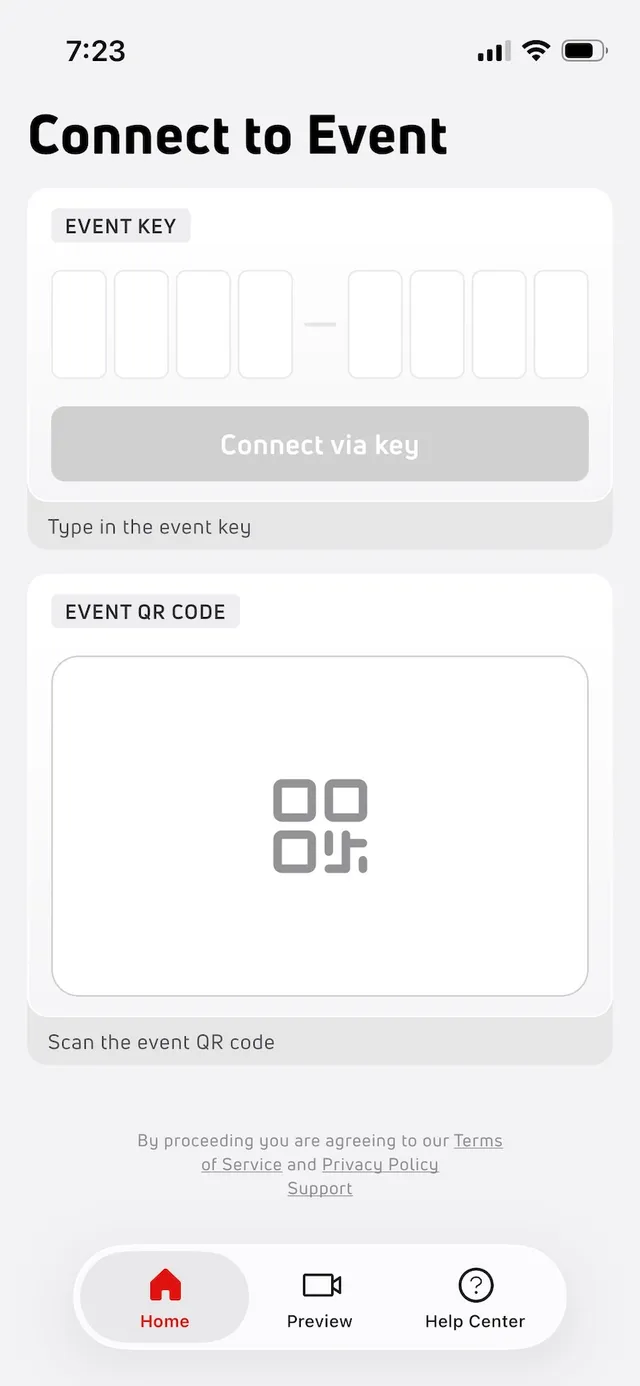
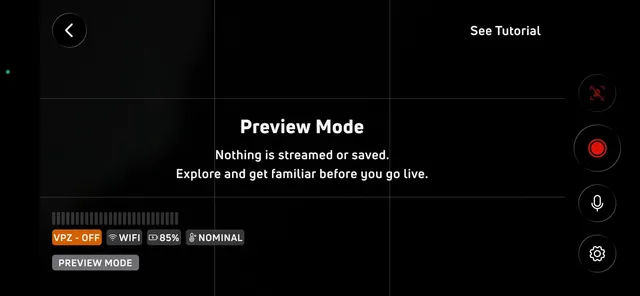
In the app, you can tap Preview to access a tutorial. You can do this before you have an event code to access a specific event. Nothing is streamed or saved while in preview mode.
The Autostream instructions will advise you to mount your device on a tripod for stability. Align the camera with the center of the mat. Make sure the device is plugged in because streaming takes a lot of battery. PRO TIP: remove the case from the device to prevent overheating, particularly if it is a thick material.
Tap the red Get Started button and then tap See Tutorial in the upper right corner of the screen to learn more about using the app.
Framing Grid: Use the gridlines on the screen to frame your shot. These are only visible to you.
Stream Health: Monitor your stream here. Audio Levels will show your microphone input in real time. Make sure the status bar is moving if you want sound. Live Indicator confirms your stream is active and shows how long you have been live. VPZ means Virtual Pan & Zoom. This feature automatically tracks and crops your shot. Connection shows your network strength. Look for a high connection to have an uninterrupted stream. Battery shows the current percent of battery life remaining. Device Temperature shows if your temperature is normal or too hot. If your device gets too hot, stream quality can drop or your device may turn off. Change devices if you cannot reduce the temperature. Finally, the Mat Number & Event Name can be found at the bottom of the Stream Health section. Make sure you are streaming the correct event.
Scoring: The score graphic will show in the top left corner. Live scores are synced automatically from the event.
Stream Controls: The stream controls are in the right side panel. We will look at the options from the bottom up. Settings allows you to adjust your audio settings without leaving the stream. Microphone allows you to mute/unmute at any time. Pause & Record pauses all audio and video. The stream is live, but broadcasting is paused. You can also end the stream here. Virtual Pan & Zoom (VPZ) can be turned on/off. It is not available in practice mode.
Now you're ready to stream!