
Event Hub
There’s a lot to keep up with during a wrestling event. The Event Hub is your central location for all information related to a specific wrestling event. It provides a comprehensive overview, including schedules, results, and notifications. This streamlined interface puts all the critical information and real-time updates at your fingertips, making it easier than ever to follow the action.
Information:
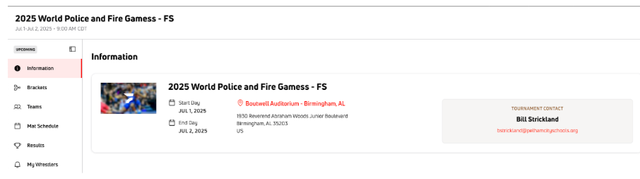
The Information section serves as the central hub for all essential details about the event. This is the first place to look for quick facts and key contacts, providing a comprehensive overview at a glance.
Need the event basics? Information gives you a quick overview of important event details, including:
- Event title and date(s)
- Venue details
- Tournament contact
- Event status indicator (upcoming, complete, etc.)
Brackets:
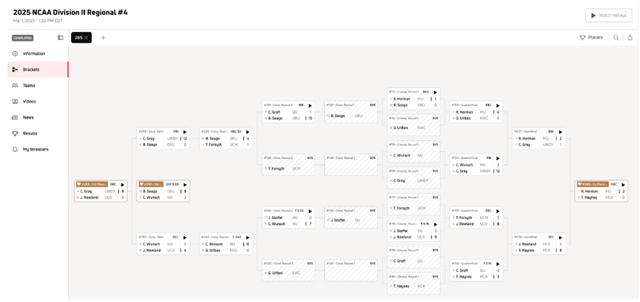
The Brackets section of the Event Hub provides a dynamic and easy-to-follow view of the competition progression. Designed for clarity and real-time updates, you can effortlessly track your favorite athletes and anticipate upcoming matchups. For more details, see View and Navigate FloWrestling Brackets.
From Brackets, you can:
- Filter by division/weight class
- Match progression
- Athlete tracking
- Round-by-round visibility
- Placers view
Teams:
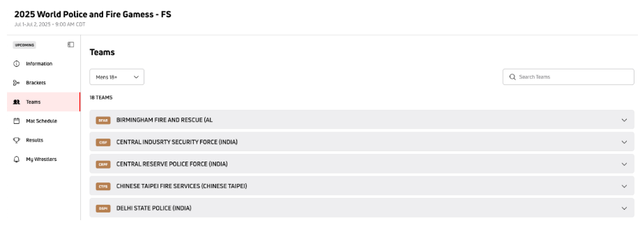
The Teams section within the Event Hub offers a comprehensive list of all participating teams, allowing you to easily browse and learn more about the competitors.
From Teams, you can:
- Division/category filter
- Total team count
- Expandable team details
Mat Schedule:
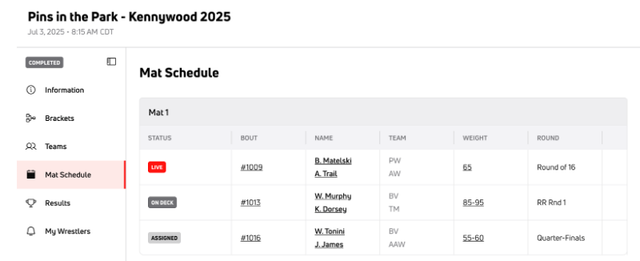
The Mat Schedule section of the Event Hub provides a clear overview of all scheduled matches, organized by mat assignment and time. This is where you can find out exactly when and where specific bouts are taking place.
From Mat Schedule, you can find:
- Centralized schedule
- Clear time and mat assignments
- Real-time updates
- Comprehensive bout details
Results:
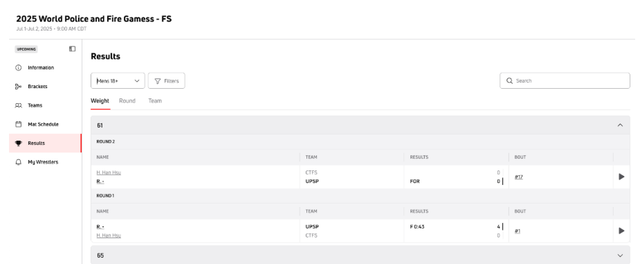
The Results section of the Event Hub is your go-to place for instant and detailed updates on every match and competition outcome. Designed for clarity, you can quickly find specific results and track athlete performance as the event unfolds.
From Results, you can:
- Filter options
- Search bar
- Organized by Weight Class
- Round-by-round detail
- Expandable sections
My Wrestlers:
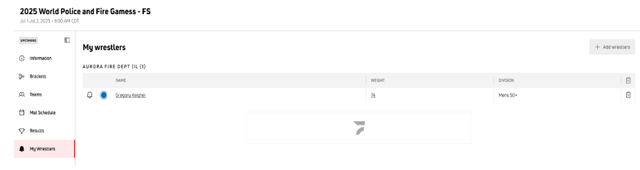
The My Wrestlers section in the Event Hub offers a personalized way to keep a close eye on the athletes you're following. This feature is designed to give you quick access to their performance and schedule, making your event tracking experience even more tailored.
From My Wrestlers, you can:
- Personalized roster
- Athlete details at a glance
- Add Wrestlers functionality
- Notification icon
- Easy removal
Videos:
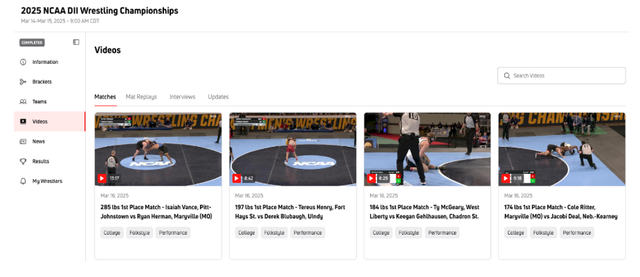
The Videos section of the Event Hub is a subscriber's gateway to rewatching key moments, full matches, interviews, and updates from the competition. Whether you want to relive a thrilling victory or catch up on what you missed, this section provides rich media content for your viewing pleasure.
From News, you can find:
- Categorized content
- Visual previews
- Playback integration
News:
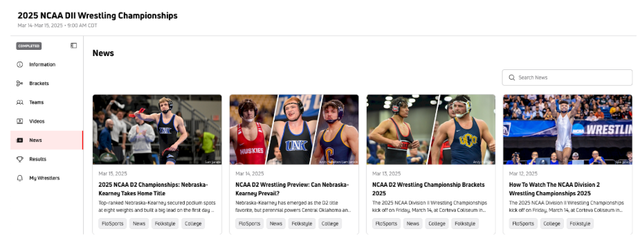
The News section within the Event Hub serves as your central source for all the latest articles, previews, recaps, and breaking stories related to the competition. It's designed to keep you fully informed with editorial content and insights.
Features of the News view:
- Comprehensive coverage
- Visual previews
- Publication dates
- Relevant tags
For other helpful articles, please refer back to our Help Center.