
Make it easier to keep up with the teams and wrestlers you care about by adding them to your Favorites. When you add a wrestler to your Favorites from the FloWrestling home page, they'll automatically be followed when they're competing in an event, helping you stay connected to their action without having to add them again.
Add Favorites on FloWrestling.com
Log in to your FloWrestling account with your email address and password.
1. Select My Account.
2. Select Edit Favorites.
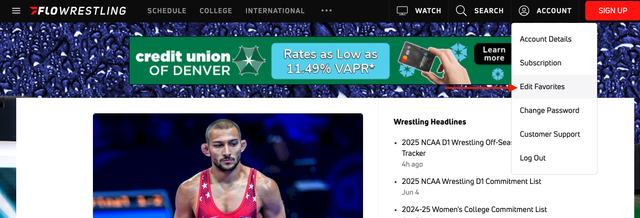
3. Select your favorite teams & wrestlers. You can select multiple at once.
4. Select Continue.
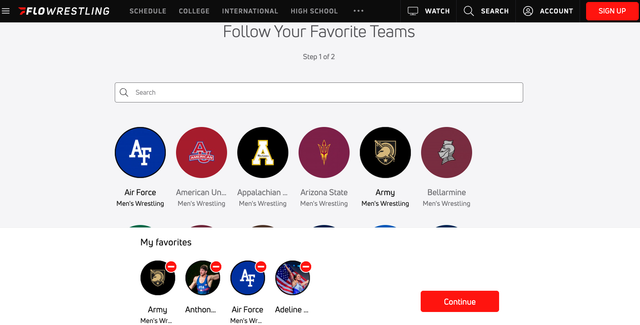
Your favorite teams and wrestlers are now saved to your Favorites.
View or Edit Your Favorites
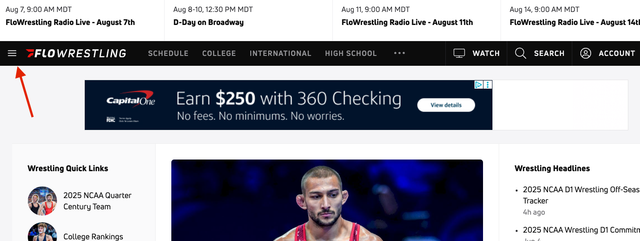
- Select the three-line menu to the left of the FloWrestling logo.
- Your favorite teams and wrestlers will appear at the top of the menu.
- To make changes, select Add/Edit in the upper-right corner of the menu.
To add favorites from the FloSports App:
- Log in to the FloSports app.
- If this is your first time using the app, follow the on-screen prompts to select your favorite sport, wrestlers, and teams.
- Select Finish when you're done.
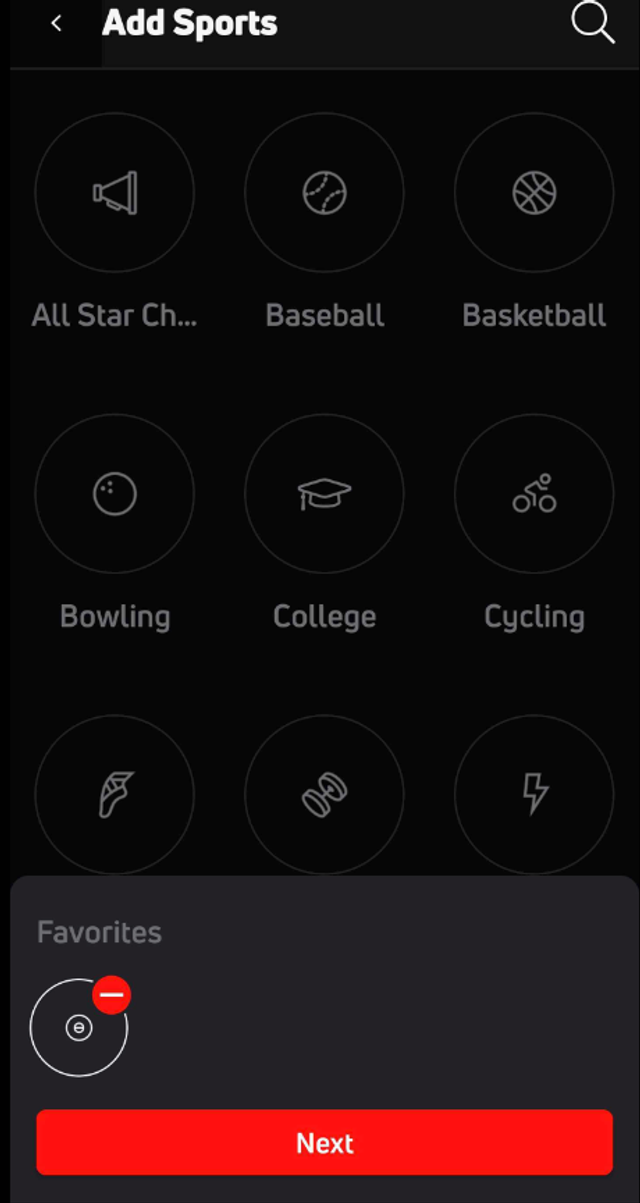
Edit Favorites in the FloSports App
You can add or update your Favorites at any time.
- Select Home in the FloSports app.
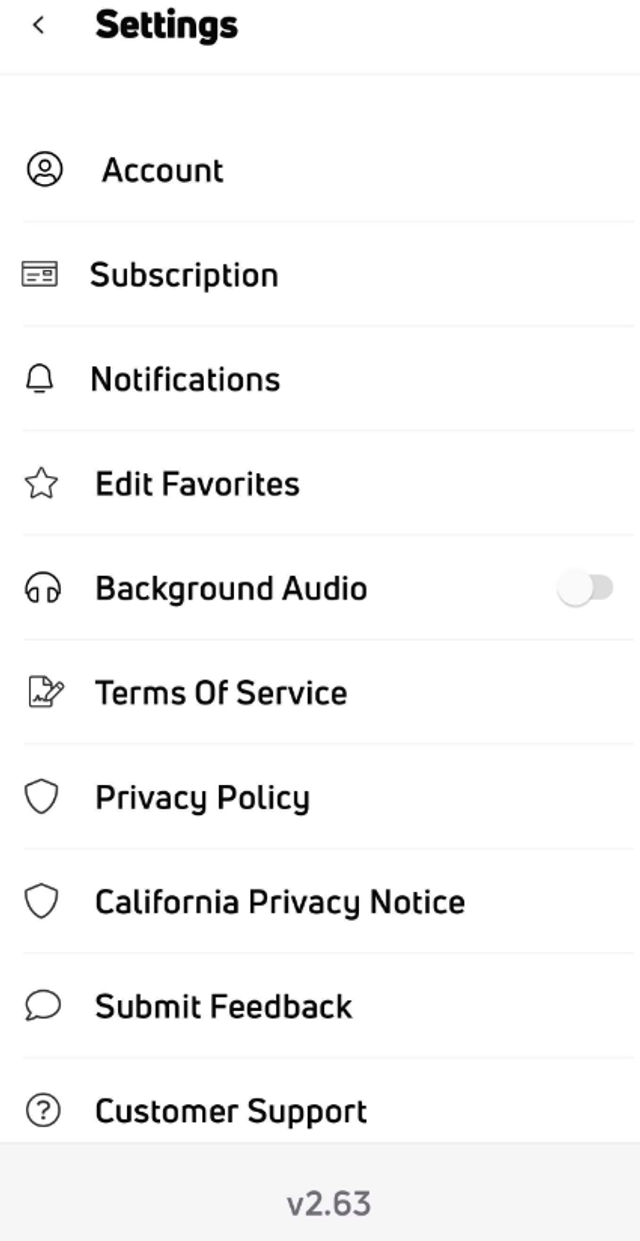
- Select Account & Settings.
- Select Edit Favorites.
- Select the type of Favorite you want to add or edit.
- Follow the on-screen prompts to update your Favorites.
Tip
Add the wrestlers you follow most often to your Favorites from the FloWrestling home page. They'll automatically be followed when they're competing in an event, making it easier to keep up with them throughout the tournament.
For other helpful articles, please refer back to our Help Center.