
If you are hosting multiple events where wrestlers will compete across different styles, you can request that the registrations be linked.
Linking your events makes registration much easier for your participants by allowing them to sign up for multiple styles in a single checkout. It also allows you to add discounts such as multi-style or team discounts, saving participants money without requiring you to issue manual refunds or promo codes later.
To set this up, you will need to order an event for each style and simply request a linked pre-registration in the comments section of EACH event order, along with any automatic discounts you want applied. See the steps below for more details!
Set up linked pre-registration
- Order a separate event for each style.
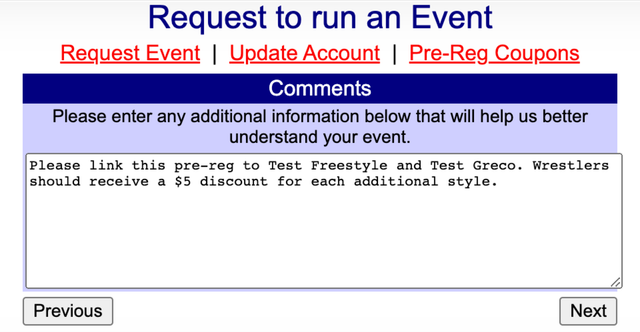
- In the comments section of each event order, request that the events use linked pre-registration.
- If you want to offer a multi-style discount, include the discount details in the comments section of each event order.
- If you want to offer a team discount, include those discount details in the event order as well.
- After the linked pre-registration is configured, complete a test registration to review the registration experience and verify that the requested discounts appear as expected.
Note
Be sure to request linked registration during the initial event order process or prior to launching registration. Events cannot be linked retroactively once participant payments have begun.
Set up a multi-style discount
You can request a discount for participants who register for more than one style. The discount must be consistent across the additional styles.
For example, you cannot configure a $5 discount for the second style and a $7 discount for the third style.
Participants must add the applicable styles to the same invoice for the multi-style discount to apply.
Discount information appears in red at the bottom of an incomplete registration. Complete a test registration before opening registration to participants so you can verify that the discounts are configured as intended.
Set up a team discount
You can request a team discount instead of, or in addition to, a wrestler's multi-style discount.
For example, a discount could apply when two or more wrestlers from the same team are included on the same invoice.
When multiple discounts apply, participants may see separate messages explaining each discount at the bottom of their incomplete registration.
For example:
- The first message may explain the team discount, such as receiving $5 off each entry fee when registering two or more athletes.
- The next message may explain the multi-style discount, such as receiving $49 off each additional entry fee when an eligible wrestler selects more than one tournament at the same time.
Here is an example of a multi-style discount for one athlete: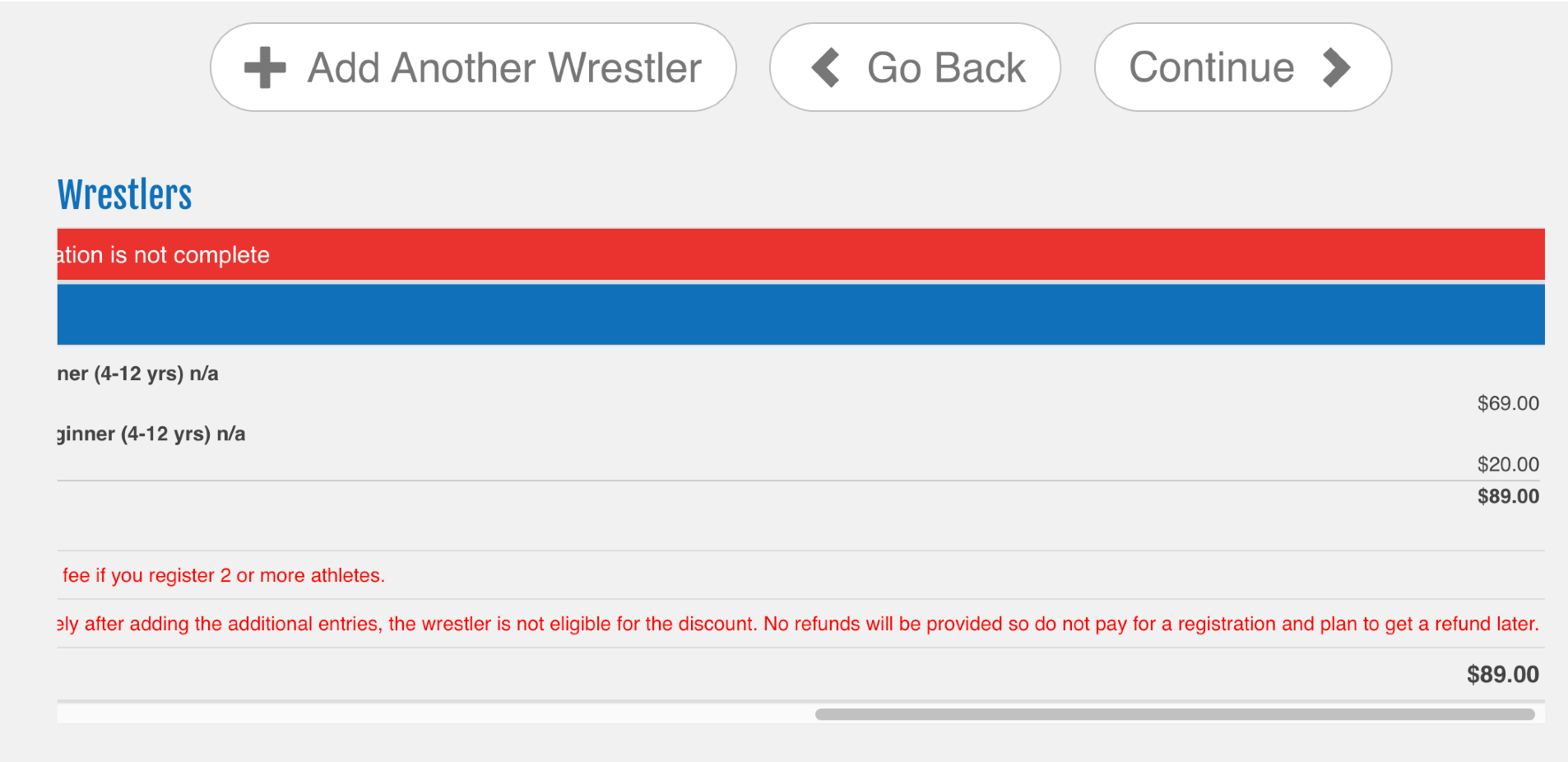
Here is what happens if another participant is added to the registration: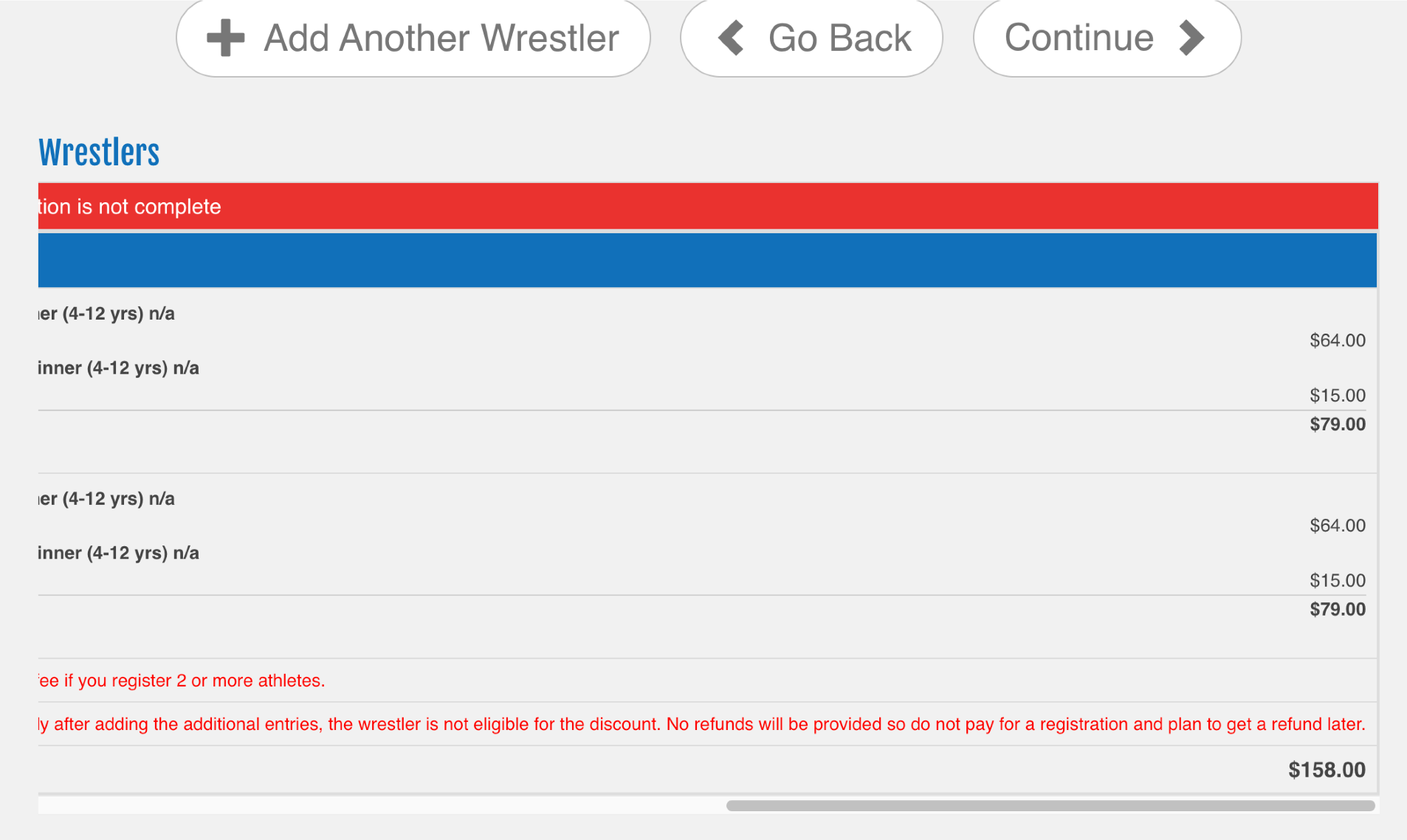
Important:
Remember that linked pre-registrations and discounts must be requested during the event order process or before the registration has been activated. Pre-registrations cannot be linked after participants have submitted payments.
If you have additional questions or need help setting up a linked pre-registration, contact Trackwrestling Support.