
Once you've claimed an athlete profile, you can manage it from your FloSports account. This gives you a central place to access the profiles you've claimed, update profile photos, or unclaim a profile when access needs to be transferred to the athlete or another parent or guardian.
Manage Your Claimed Profiles
1. Log in to your account.
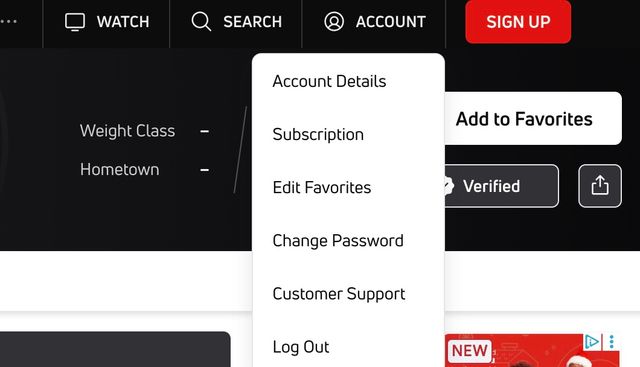
2. Select Account.
3. Select Account Details.
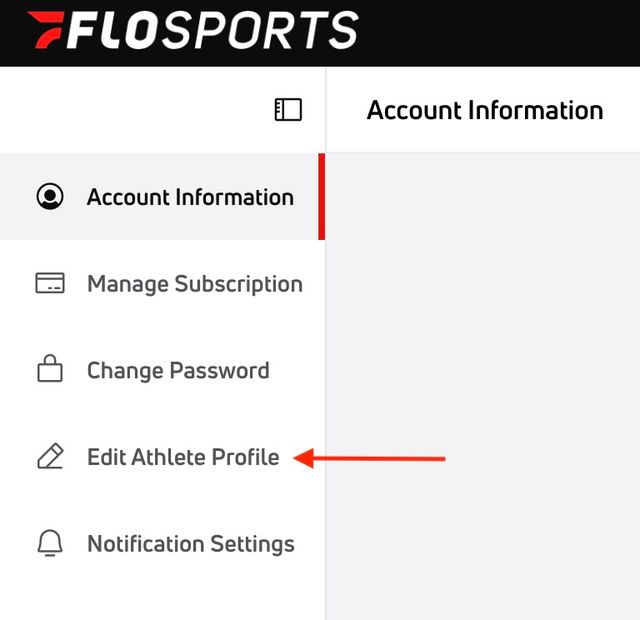
4. Select Edit Athlete Profile from the left menu.
5. Use the tabs to switch between the athlete profiles you've claimed.
From this page, you can upload a new profile photo at any time.
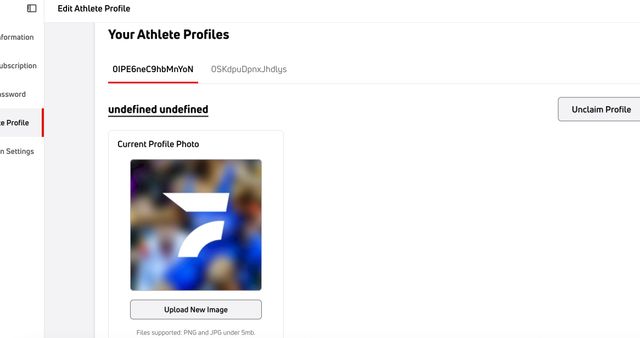
You can also unclaim a profile if you want to transfer access to the athlete or another parent or guardian.
Important
Make sure any profile photo you upload clearly shows the wrestler's face. Other images will not be accepted.
Team, weight class, and results information cannot currently be edited from the claimed-profile management page.
For other helpful articles, please refer back to our Help Center.