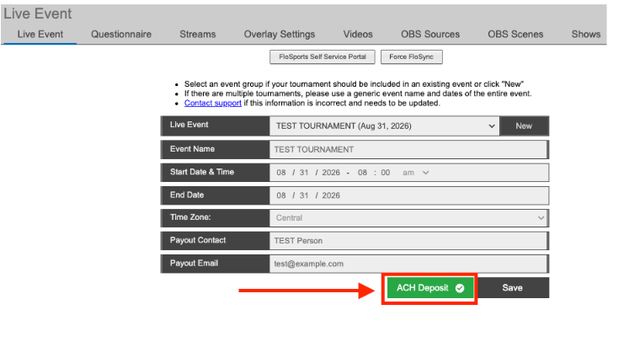
The Trackcast Questionnaire gives the Trackwrestling support team the information they need to prepare for your event's video streams, including who to contact about streaming. You will also use this process to provide the ACH deposit information associated with your event. Follow the steps in this article to complete your questionnaire and ACH deposit setup.
Complete the Trackcast Questionnaire
1. Log in to your tournament as an administrator.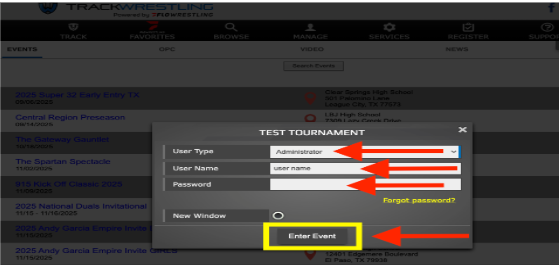
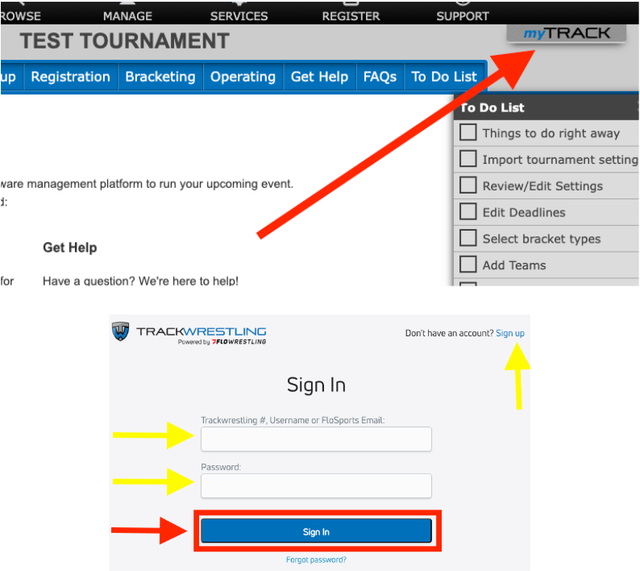
2. Log in with your myTRACK account. This is a free Trackwrestling account and is different from the administrator login created for your event. If you do not already have a myTRACK account, create one before continuing.
3. Go to Setup > Video Streams > Questionnaire.
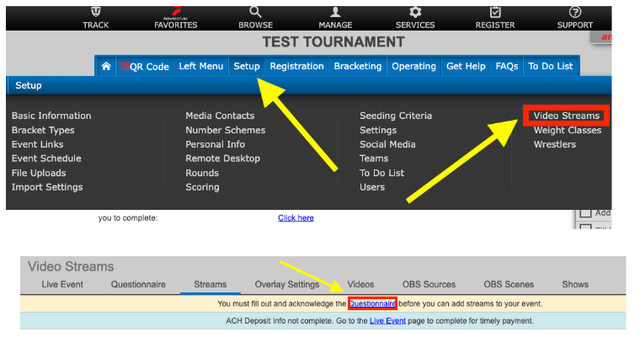
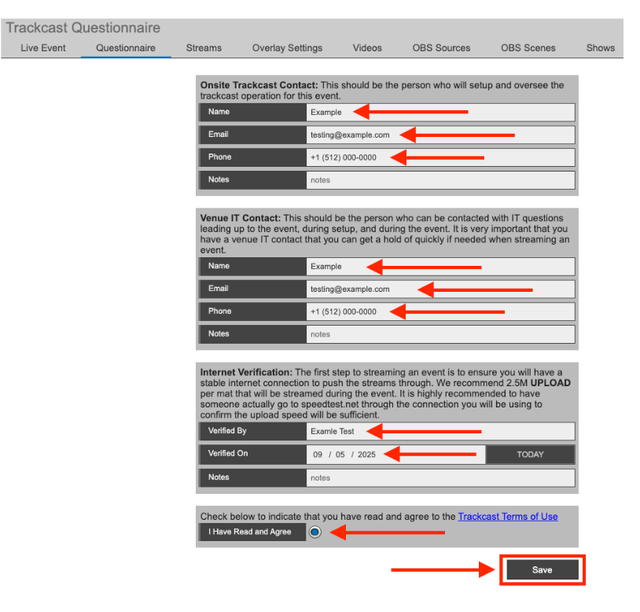
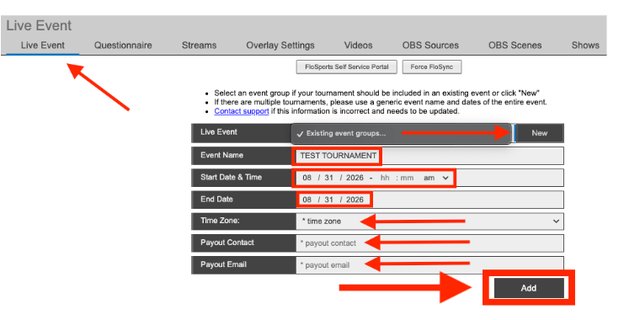
4. Enter the requested questionnaire information. Click Add.
After you add the questionnaire information, the page will refresh and display the ACH Deposit button.
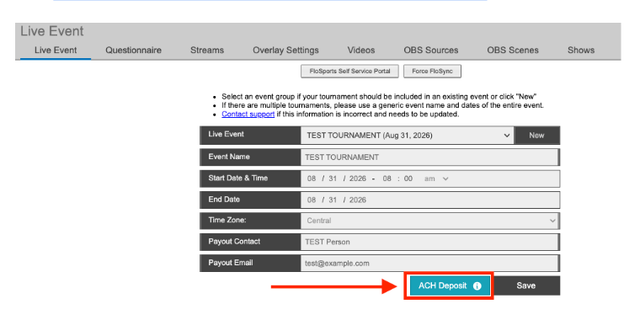
Set up ACH deposit information
- Click ACH Deposit at the bottom of the page.
- Select an existing account or add a new account.
- Select the required checkboxes.
- Click Save.

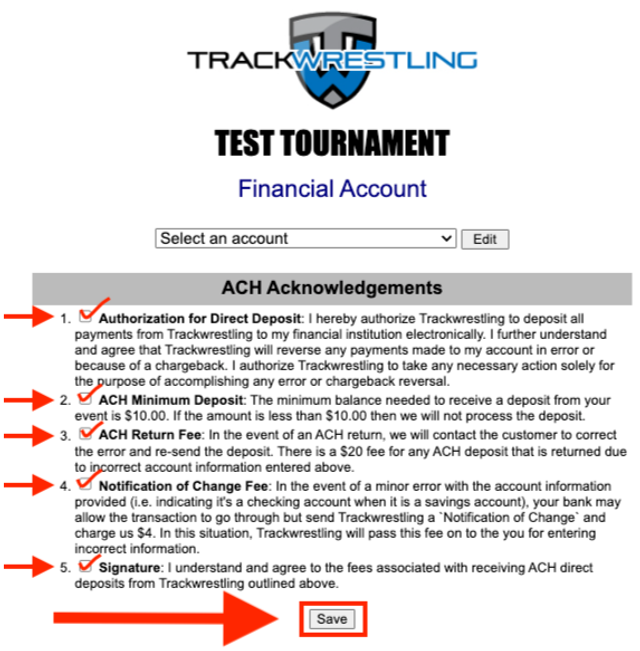
After you save the account information, the page will refresh. ACH Deposit will display in green with a check mark when the setup has been completed successfully.