
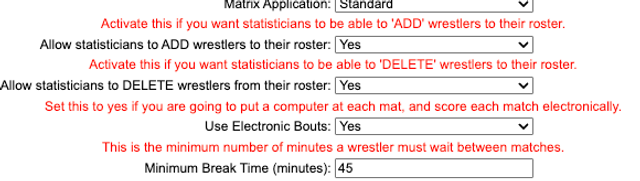
The Minimum Rest Time setting controls the minimum break wrestlers receive between matches. This setting can now be managed from the tournament Settings page.
- Click Setup > Settings.
- Scroll toward the bottom of the Settings page to find the Minimum Rest Time setting.
- Enter the amount of rest time you want between matches.
Alternate Navigation
- Click Left Menu.
- Click Print Documents.
- Click Bout Sheets.
- Click Advanced Settings.
- Set the Minimum Break Time.
- Click Save.