
Your FloWrestling athlete profile is a home for your wrestling history and content. Claiming your profile connects it to your account and lets you manage your profile photo and choose how you'd like to be notified when your profile is tagged in FloWrestling articles or videos.
Claim Your Profile
1. Go to FloWrestling.com and search for your athlete profile.
2. Open the profile.
3. Select Claim as me underneath Add to Favorites.
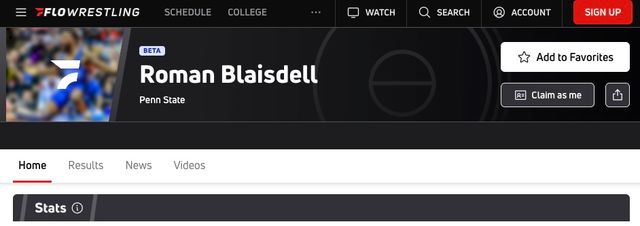
4. Review the message explaining the benefits of claiming your profile.
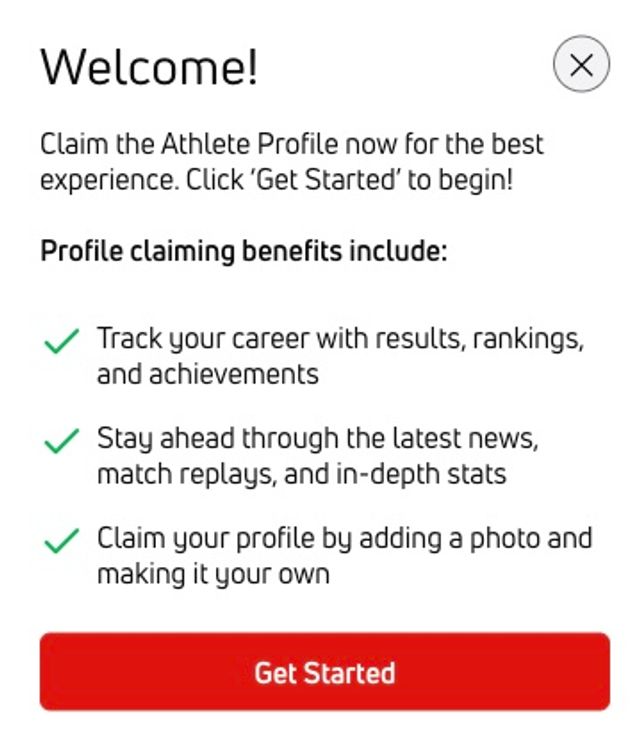
5. Select Get Started.
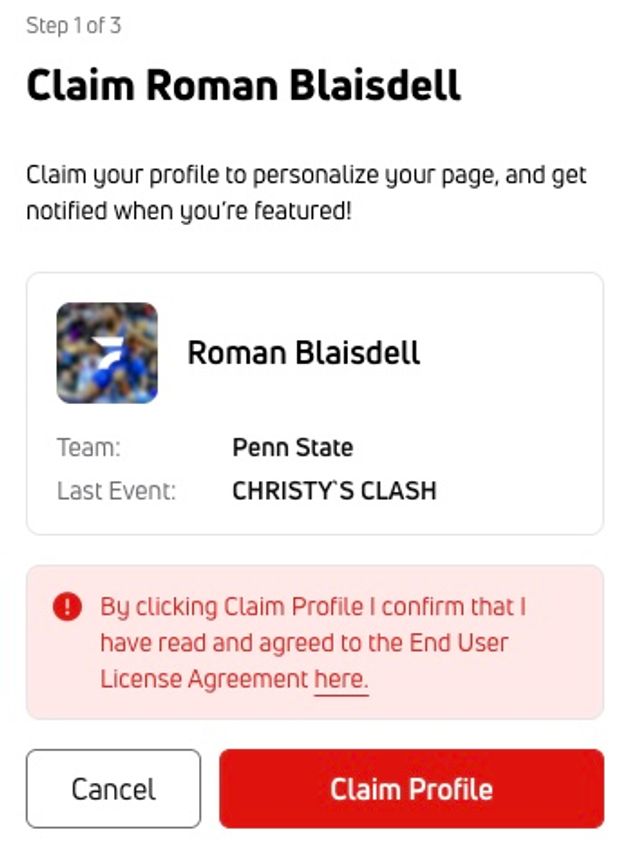
6. Review the End User License Agreement using the provided link.
7. Select Claim Profile to continue.
Choose Your Notifications
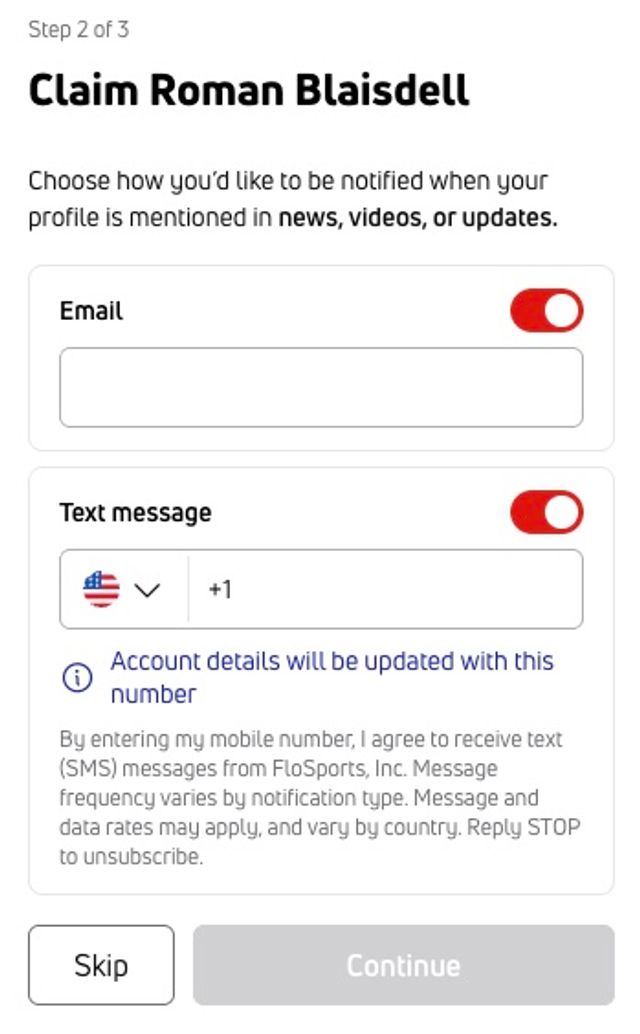
During Step 2 of the claim process, choose how you'd like to be notified when the profile is tagged in articles or videos.
You can provide:
- One email address
- One phone number
The toggle for a notification option appears red when the option is selected and gray when it is not selected.
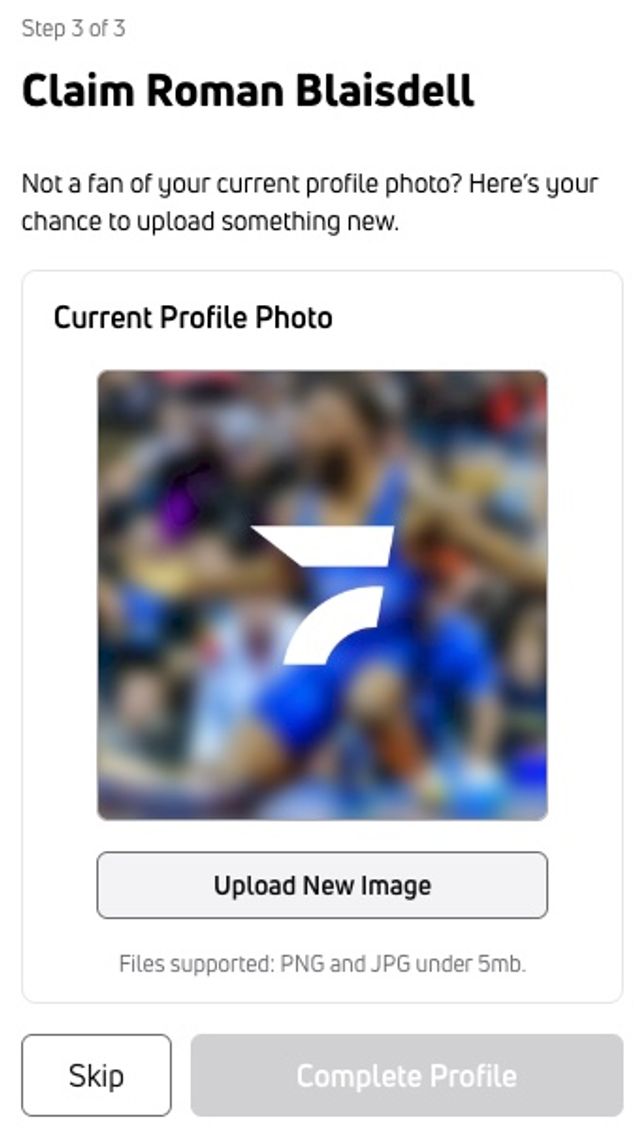
Add a Profile Photo
During Step 3, you can upload a profile photo.
Accepted files are:
- PNG
- JPG
- Files under 5 MB
After completing these steps, your athlete profile is claimed.
Important
A profile can be claimed by one athlete or parent. One account can claim up to five athlete profiles.
Dispute a FloWrestling Profile Claim
If someone else has claimed your profile, check out Dispute a FloWrestling Profile Claim to learn how to dispute the claim.
For other helpful articles or help with missing or incorrect event or profile information, visit our Help Center. To contact our team, select the Contact Us button at the bottom of the Help Center.