
Access to your athlete profile matters, and sometimes a profile may be accidentally or incorrectly claimed by another account. The profile claim dispute process gives athletes and parents a way to request access while helping FloWrestling verify that the profile is transferred to the rightful person.
Gather Your Identification
To verify your identity as the athlete or parent, provide at least two of the following:
- Athlete's date of birth and hometown
- Any other email addresses that may have previously been associated with the profile
- Event name and invoice number from the most recent event registration
Start the Profile Dispute
1. Log in to your FloSports account.
2. Open the athlete profile.
3. Select Verified in the upper-right corner of the profile.
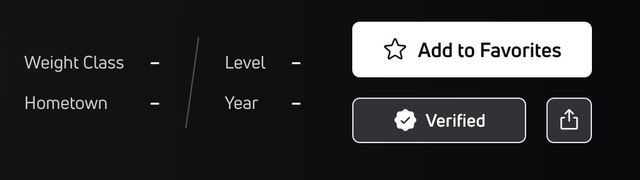
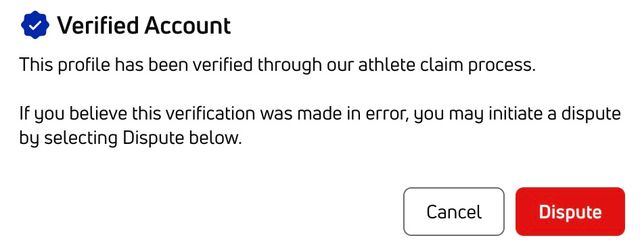
4. Read the pop-up message.
5. Select the red Dispute button
Complete the Dispute Form
Include the following information in your dispute:
- Your full name
- The email address where you'd like to be contacted
- Select FloWrestling as the website/sport.
- Choose Athlete Profile for what you need help with.
- Under Athlete Profile, choose Profile Claim Disputes.
- Enter a subject, such as "Profile Claim Dispute for John Smith."
- In the final text box, enter the identification you gathered and briefly explain why you believe the profile was claimed incorrectly.
Select Submit when you're finished. You can then select anywhere on the page to close the form.
Important
FloWrestling needs to verify your identity before transferring a claimed athlete profile. Make sure you provide at least two of the requested pieces of identification with your dispute.
Once your claim dispute is submitted, our support team will respond within 48 hours.
For other helpful articles, please refer back to our Help Center.